 Wuji Hand
 Wuji Glove
 Wuji Studio
 Wuji SDK
Description User Guide
1. Overview
wuji-description is the model description package for Wuji Hand and related hardware, providing URDF, MuJoCo (MJCF), Isaac Sim USD, and STEP/CAD assets for simulation, visualization, and mechanical integration.
Coverage
| Module | Assets |
|---|---|
| Wuji Hand |
|
| Wuji Hand soft-pad variant |
|
| Wuji Hand 2 |
|
| Hand attachments |
|
| Wuji Glove |
|
Related Repositories
wuji-description is referenced as a dependency by the following projects:
| Repository | Purpose |
|---|---|
| mujoco-sim | MuJoCo simulation example |
| isaaclab-sim | Isaac Lab simulation example |
| wuji-retargeting | Hand pose retargeting |
These repositories reference wuji-description through Git Submodule to keep model files in sync. To update the model, run the following command in each repository:
git submodule update --remote2. System Requirements
| Feature | Requirements |
|---|---|
| MuJoCo Visualization | Python 3.8+ MuJoCo 2.3+ |
| ROS2 Visualization (RViz) | ROS2 (Kilted Kaiju / Jazzy Jalisco) Ubuntu 24.04+ |
| Isaac Sim USD | Isaac Sim 2024.x+ |
| STEP / CAD | CAD tool with STEP support (e.g., FreeCAD, SolidWorks) |
3. Integration Guide
Make sure you've completed the configuration in System Requirements before proceeding.
3.1 Installation
git clone https://github.com/wuji-technology/wuji-description.git
cd wuji-description
3.2 Simulation and Visualization
The repository provides model assets for mainstream simulation/visualization ecosystems. Pick the section matching your tool.
3.2.1 MuJoCo
Wuji Hand
# Right hand
python -m mujoco.viewer --mjcf=hand/body/mjcf/right.xml

# Left hand
python -m mujoco.viewer --mjcf=hand/body/mjcf/left.xml
Wuji Hand soft-pad variant
# Right hand
python -m mujoco.viewer --mjcf=hand/body-with-soft/mjcf/right.xml

# Left hand
python -m mujoco.viewer --mjcf=hand/body-with-soft/mjcf/left.xml

# Simplified-collision variant (faster contact simulation)
python -m mujoco.viewer --mjcf=hand/body-with-soft/mjcf/right_simplified.xml
Wuji Hand 2
# Right hand
python -m mujoco.viewer --mjcf=hand2/body/mjcf/right.xml

# Left hand
python -m mujoco.viewer --mjcf=hand2/body/mjcf/left.xml
Impact-resistant Adapter
python -m mujoco.viewer --mjcf=hand/attachment/impact-resistant-attachment/mjcf/docking.xmlMuJoCo Viewer Controls
| Action | Function |
|---|---|
| Left-click drag | Rotate view |
| Right-click drag | Pan view |
| Scroll wheel | Zoom (forward/backward) |
| Double left-click | Select object, camera tracks the object |
| Double right-click | Deselect, return to free view |
| Ctrl + left-click drag | Apply force to selected object |
| Ctrl + right-click drag | Apply torque to selected object |
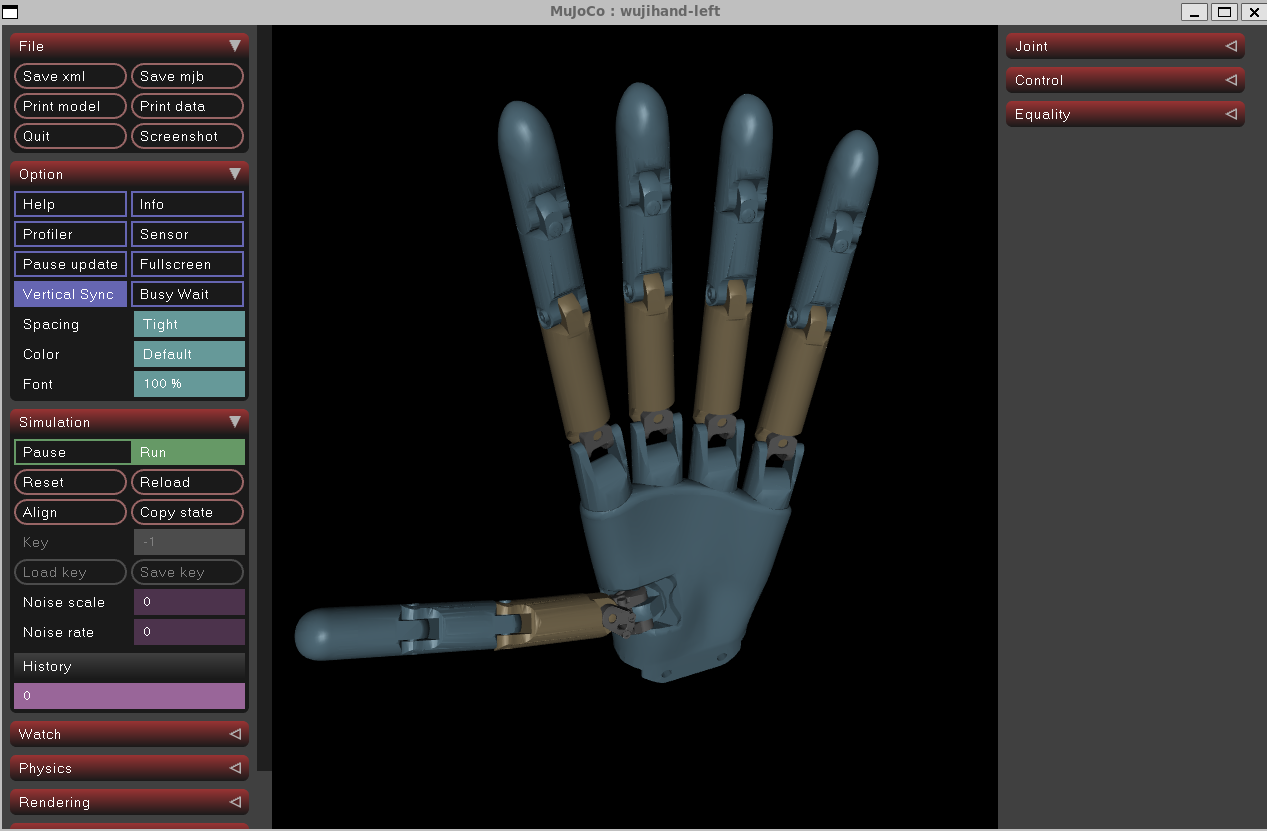
Result
Uses the left hand as an example. Load other models with the commands above.
3.2.2 ROS2 / RViz
Installation
hand/body/ is the ROS2 package source (wuji_description). Installation also pulls in hand/attachment/ as a sibling resource, so clone the entire repository into your workspace src/ rather than copying hand/body/ alone.
# 1. Source ROS2 environment, replace <distro> with your installed ROS2 distribution
source /opt/ros/<distro>/setup.bash

# 2. Create workspace (if not exists)
mkdir -p ~/ros2_ws/src

# 3. Clone repository
cd ~/ros2_ws/src
git clone https://github.com/wuji-technology/wuji-description.git

# 4. Initialize rosdep (first time only, skip if already initialized)
sudo rosdep init
rosdep update

# 5. Install dependencies
cd ~/ros2_ws
rosdep install --from-paths src --ignore-src -r -y

# 6. Build and source
colcon build --packages-select wuji_description
source install/setup.bash
Visualization
# Left hand (default)
ros2 launch wuji_description display.launch.py

# Right hand
ros2 launch wuji_description display.launch.py hand:=right
RViz Controls
| Action | Function |
|---|---|
| Left-click drag | Rotate view |
| Right-click drag | Pan view |
| Scroll wheel | Zoom |
| Shift + left-click drag | Pan view (XY plane) |
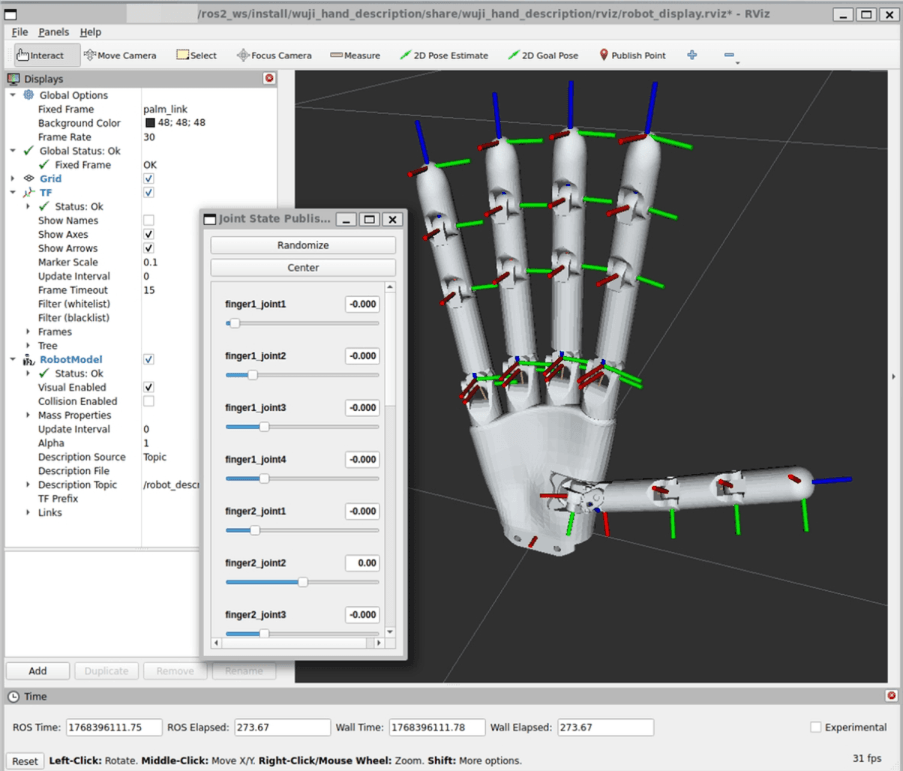
| Joint State Publisher GUI | Drag sliders to control joint angles |
Result
3.2.3 Isaac Sim USD
The repository provides the following Isaac Sim USD assets:
Wuji Hand
- Left hand:
hand/body/usd/left/wujihand.usd - Right hand:
hand/body/usd/right/wujihand.usd
Wuji Hand soft-pad variant
- Left hand:
hand/body-with-soft/usd/left/wujihand.usd - Right hand:
hand/body-with-soft/usd/right/wujihand.usd - Simplified-collision variants:
hand/body-with-soft/usd/{left,right}_simplified/wujihand.usd
Wuji Hand 2
- Left hand:
hand2/body/usd/left/wujihand.usd - Right hand:
hand2/body/usd/right/wujihand.usd
Open the corresponding .usd file directly in Isaac Sim. For a complete simulation example, see isaaclab-sim.
3.2.4 URDF Preview (non-ROS)
Without ROS installed, preview URDF models directly with any URDF viewer such as urdf-viz.
Wuji Hand soft-pad variant
urdf-viz hand/body-with-soft/urdf/right.urdfWuji Hand 2
urdf-viz hand2/body/urdf/right.urdfImpact-resistant Adapter
urdf-viz hand/attachment/impact-resistant-attachment/urdf/docking.urdfWuji Glove
glove/body/ provides the Wuji Glove model used for hand motion tracking. Each hand is described by a URDF skeleton with 21 revolute joints across the five fingers, an EMF transmitter base on the wrist (base_link_TX.STL), and a receiver coil on every fingertip (base_link_RX.STL). The transmitter top-cover STEP and assembly PDF are under glove/body/step/.
urdf-viz glove/body/urdf/right.urdf3.3 Mechanical Integration
3.3.1 Robot Arm Adapter
hand/attachment/step/ provides two adapters for mounting Wuji Hand on a robot arm end-effector flange:
| Adapter | STEP file | Structure | Active separation | Use case |
|---|---|---|---|---|
| Direct-mount Adapter | Direct-Adapter-Mount.step | Single-body, high rigidity | No | Industrial robot arms in stable, low-collision-risk workflows |
| Impact-resistant Adapter | Impact-Resistant-Adapter.step | Two modules (arm module + Wuji Hand module) | Yes (separates when external impact exceeds the safety threshold) | High-collision-risk scenarios requiring joint and motor protection |
For the impact-resistant adapter's working principle and component names, see 5.3 Impact-resistant Adapter.
Integration steps
- Open the STEP file with any CAD tool that supports STEP (FreeCAD, SolidWorks, Creo)
- Adapt the design to your target robot arm's flange hole pattern
- Reference the assembly PDF drawing (
wuji-hand&*-assembled-v1.pdf) to confirm the assembly relationships - Follow Adapter-Installation-Instructions.md to complete installation
3.3.2 Wuji Hand 2 Structural Assemblies and Adapter Mount
hand2/body/step/ ships the Wuji Hand 2 STEP source files for mechanical integration and downstream design:
| STEP file | Purpose |
|---|---|
Wuji-Hand2-Beta1-left.step | Left-hand structural assembly (Beta1) |
Wuji-Hand2-Beta1-right.step | Right-hand structural assembly (Beta1) |
Wuji-Hand2-Adapter-Mount-Beta1.step | Adapter mount for attaching Wuji Hand 2 to a robot arm end-effector flange (Beta1) |
These STEP assets are at the Beta1 revision. Naming and outline details may change in later revisions.
Integration steps
- Open the STEP file with any CAD tool that supports STEP (FreeCAD, SolidWorks, Creo)
- Reference the left and right structural assemblies to confirm the mounting face and alignment
- Adapt the adapter mount to your target robot arm's flange hole pattern and complete the assembly
3.3.3 Unitree G1 Adapter
hand/attachment/unitree-g1-attachment/unitree-g1-docking-adapter.stl mounts Wuji Hand on the Unitree G1 humanoid robot's end-effector.
Integration notes
The STL is ready for 3D printing (nylon or PETG recommended for rigidity). One end mates with the G1 end-effector flange. The other connects to Wuji Hand's standard mounting interface.
4. Related Repositories
4.1 MuJoCo Simulation Example
mujoco-sim provides a minimal example for loading and controlling Wuji Hand in the MuJoCo physics simulator.
Run Commands
git clone --recursive https://github.com/wuji-technology/mujoco-sim.git
cd mujoco-sim
pip install -r requirements.txt
python run_sim.py
Expected Result
The script loads the right-hand model (default) and loops through the pre-recorded waving motion trajectory in data/wave.npy. To switch to the left hand, change the side variable in run_sim.py to "left".
4.2 Isaac Lab Simulation Example
isaaclab-sim provides simulation examples for using Wuji Hand in NVIDIA Isaac Lab, supporting GPU-accelerated large-scale parallel simulation, suitable for reinforcement learning training scenarios.
Run Commands
git clone --recurse-submodules https://github.com/wuji-technology/isaaclab-sim.git
cd isaaclab-sim
# Configure the environment according to Isaac Lab official documentation, then execute
python run_sim.py
Expected Result
The script loads the right-hand model (default) and loops through the pre-recorded waving motion trajectory in data/wave.npy. To switch to the left hand, run python run_sim.py --side left.
4.3 Hand Pose Retargeting
wuji-retargeting is a high-precision hand pose retargeting system based on adaptive analytical optimization. It maps human hand poses to dexterous hand joint positions and supports real-time hand tracking with Apple Vision Pro.
Run Commands
git clone --recurse-submodules https://github.com/wuji-technology/wuji-retargeting.git
cd wuji-retargeting
pip install -r requirements.txt
pip install -e .

# Simulation example (using pre-recorded data)
cd example
python teleop_sim.py --play data/avp1.pkl --hand left

# Real robot example (requires Vision Pro connection)
python teleop_real.py --input visionpro --ip <vision-pro-ip> --hand right
Expected Result
In simulation mode, the dexterous hand replays pre-recorded hand pose data. In real-robot mode, it follows the hand movements captured by Vision Pro in real-time. The system uses Huber loss with NLopt SLSQP optimization, adaptively switching between pinch and spread gestures to improve accuracy.
5. Troubleshooting
RViz Doesn't Display the Model
Make sure you've run source install/setup.bash.
rosdep Not Initialized
If rosdep install reports rosdep has not been initialized, initialize rosdep on first use:
sudo rosdep init
rosdep update