

wuji calib hand-model runs Wuji Glove hand model calibration in the terminal: select a device, follow the prompts through the motion collection, and the calibration artifacts are saved to the current user profile and take effect immediately.
Hand model calibration is isolated per user, and the Default user can’t calibrate. In a terminal, the command can create or switch to a named profile before connecting. For structured or redirected output, use
wuji user create <name> --switch for a new profile or wuji user switch <name> for an existing profile.Usage
Interactive Flow
In a terminal, the command guides the full session:- Review the current profile, then keep it, switch profiles, or create a named profile.
- Select a Wuji Glove. Each result shows its serial number, connection method, and endpoint.
- If the profile already has a hand model for the selected hand, confirm whether to replace it. The default is No. Declining cancels the session and releases the device.
- Complete six poses: index, middle, ring, and pinky pinch, a four-finger 90-degree bend, and a flat open hand.
- Follow the live stability and constraint feedback, then wait while the solver publishes the model.
Pose Overview
| Step | Illustration | Pose | Constraint | Key Points |
|---|---|---|---|---|
| 1 | 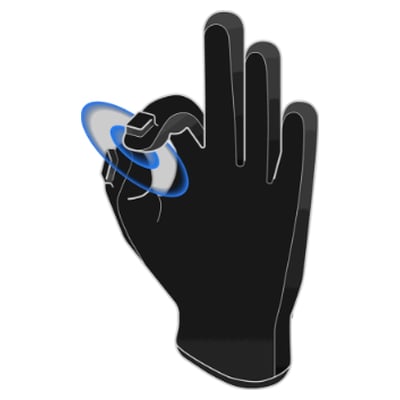 | Thumb–index tip pinch | Thumb–index EMF distance < 5 cm, with the fingertips facing each other at an angle > 100° (tip-to-tip, not pad-to-pad) | Touch only the thumb and index fingertips. Don’t press the finger pads together |
| 2 | 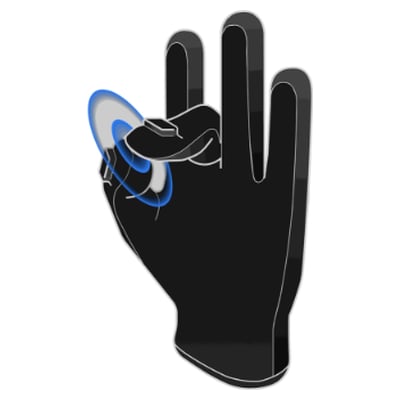 | Thumb–middle tip pinch | Thumb–middle EMF distance < 5 cm, with the fingertips facing each other at an angle > 100° (tip-to-tip, not pad-to-pad) | Touch only the thumb and middle fingertips. Don’t press the finger pads together, and keep the other fingers relaxed |
| 3 | 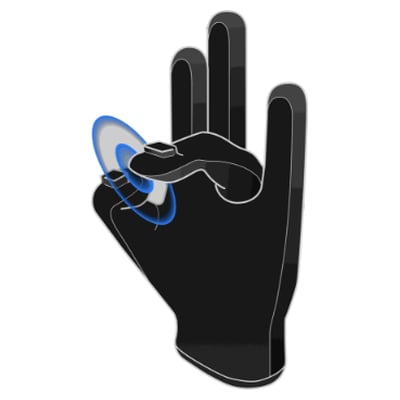 | Thumb–ring tip pinch | Thumb–ring EMF distance < 5 cm, with the fingertips facing each other at an angle > 100° (tip-to-tip, not pad-to-pad) | Touch only the thumb and ring fingertips. Don’t press the finger pads together |
| 4 | 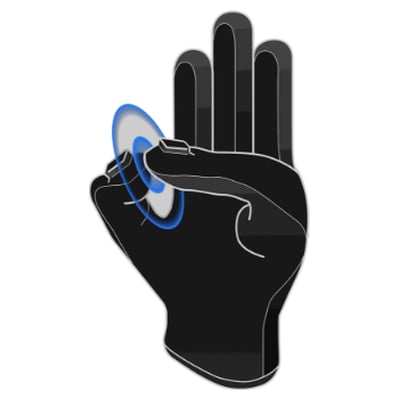 | Thumb–pinky tip pinch | Thumb–pinky EMF distance < 5 cm, with the fingertips facing each other at an angle > 100° (tip-to-tip, not pad-to-pad) | Touch only the thumb and pinky fingertips. Don’t press the finger pads together |
| 5 | 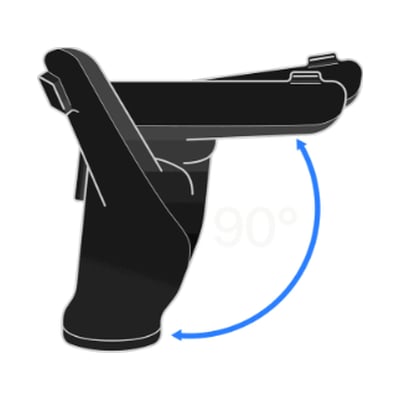 | Four-finger 90-degree bend | Index, middle, ring, and pinky angles close to the target pose (thumb not constrained) | Bend the index, middle, ring, and pinky fingers together to about 90°—like a half-fist, not clenched, with the thumb relaxed |
| 6 | 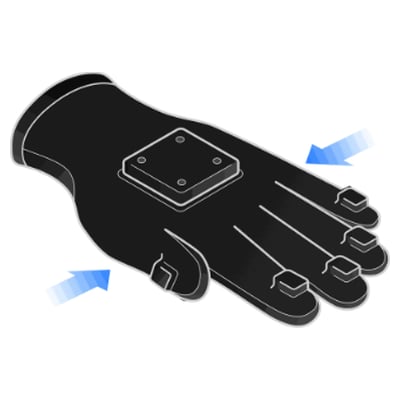 | Flat open hand | Index, middle, ring, and pinky angles close to the target pose (thumb not constrained) | Open the hand fully with all four fingers extended and close together, palm steady, thumb relaxed |
Calibration Results
On success, the command shows the profile, hand side, path, size, and time of the artifact (left_hand.urdf or right_hand.urdf). The result takes effect immediately. Choose User show to inspect the full profile, Recalibrate to start another hand-model session, or Finish to exit. Move the result between machines with wuji user export.
Automation
--json prints the final result object. --jsonl streams progress events, followed by a final result, error, or cancelled event. Every object carries schema_version: 2 and calibration: "hand_model", so scripts can identify and parse them accordingly. These modes do not show profile, device, or overwrite prompts. Select a named profile and check whether it already has a hand model for the same side before starting. The command starts calibration directly and attempts to replace an existing model when calibration finishes. If publishing the new model fails, the existing model remains unchanged.