> ## Documentation Index
> Fetch the complete documentation index at: https://docs.wuji.tech/llms.txt
> Use this file to discover all available pages before exploring further.
# Panel Types
Wuji Studio provides the following visualization panels:
| Panel type | Description |
| - | - |
| 3D View | Renders hand skeleton, fingertip poses, and more in 3D space (see [3D Hand Visualization](/en/docs/wuji-studio/visualization/hand-3d)) |
| Plot | Displays numerical data as time-series line charts |
| Tactile Matrix | Visualizes tactile sensor data as a color-coded matrix heatmap |
| Raw Messages | Displays Topic raw message content in JSON format with two-frame diff comparison |
| Tab | Groups multiple panels into tabs to save screen space |
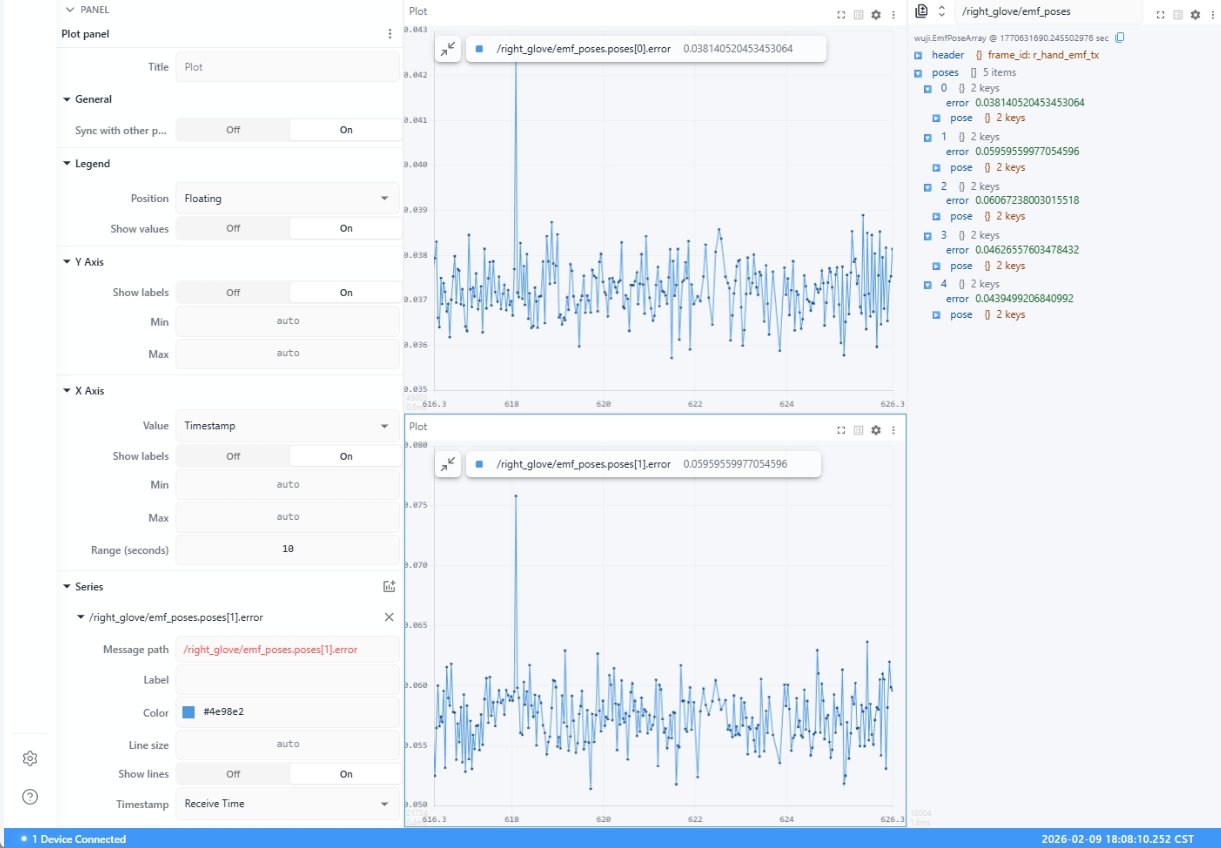
## Plot
Displays numerical data as time-series line charts.
 ## Tactile Matrix
Visualizes tactile sensor data as a color-coded matrix heatmap.
## Tactile Matrix
Visualizes tactile sensor data as a color-coded matrix heatmap.
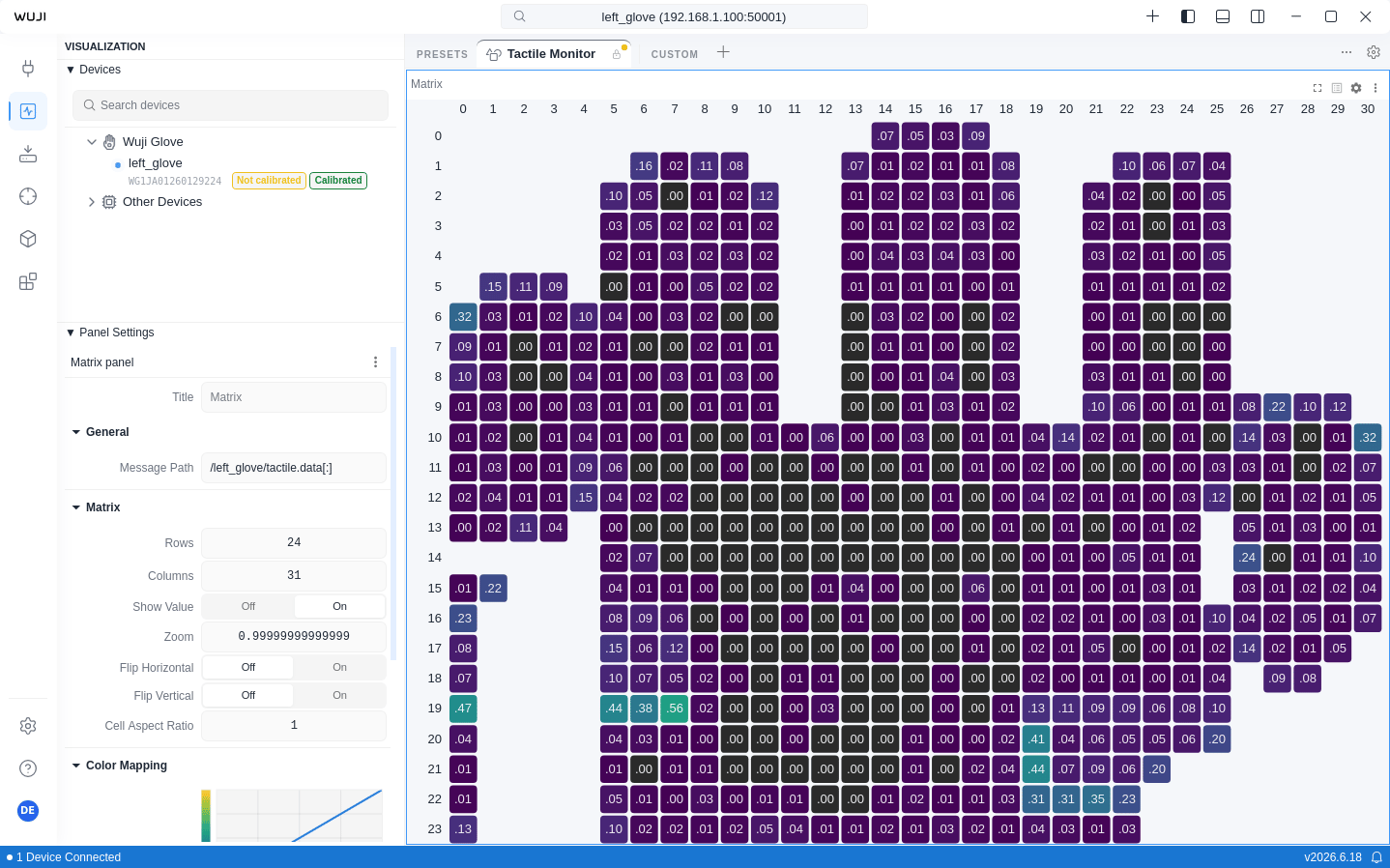 Switch colormaps from the **Color Map** dropdown in the Sidebar's **Panel** section. The default is Viridis (perceptually uniform), and Safety (Okabe-Ito) is the accessibility-friendly option.
| Setting | Description |
| - | - |
| Min Value / Max Value | 0.0 \~ 1.0 (normalized)
Switch colormaps from the **Color Map** dropdown in the Sidebar's **Panel** section. The default is Viridis (perceptually uniform), and Safety (Okabe-Ito) is the accessibility-friendly option.
| Setting | Description |
| - | - |
| Min Value / Max Value | 0.0 \~ 1.0 (normalized)
Invalid data points (value -1) are automatically skipped during rendering. |
| Zoom / Flip Horizontal / Flip Vertical | Supports horizontal/vertical flip and zoom |
| Show Value | Display numerical value in each cell |
The tactile sensor matrix is 24 × 31, divided into 6 zones:
| Zone ID | Region | Matrix Size |
| - | - | - |
| 6 | Palm | 14 × 22 |
| 1 | Thumb | 10 × 5 |
| 2 | Index | 9 × 5 |
| 3 | Middle | 10 × 6 |
| 4 | Ring | 9 × 6 |
| 5 | Pinky | 11 × 5 |
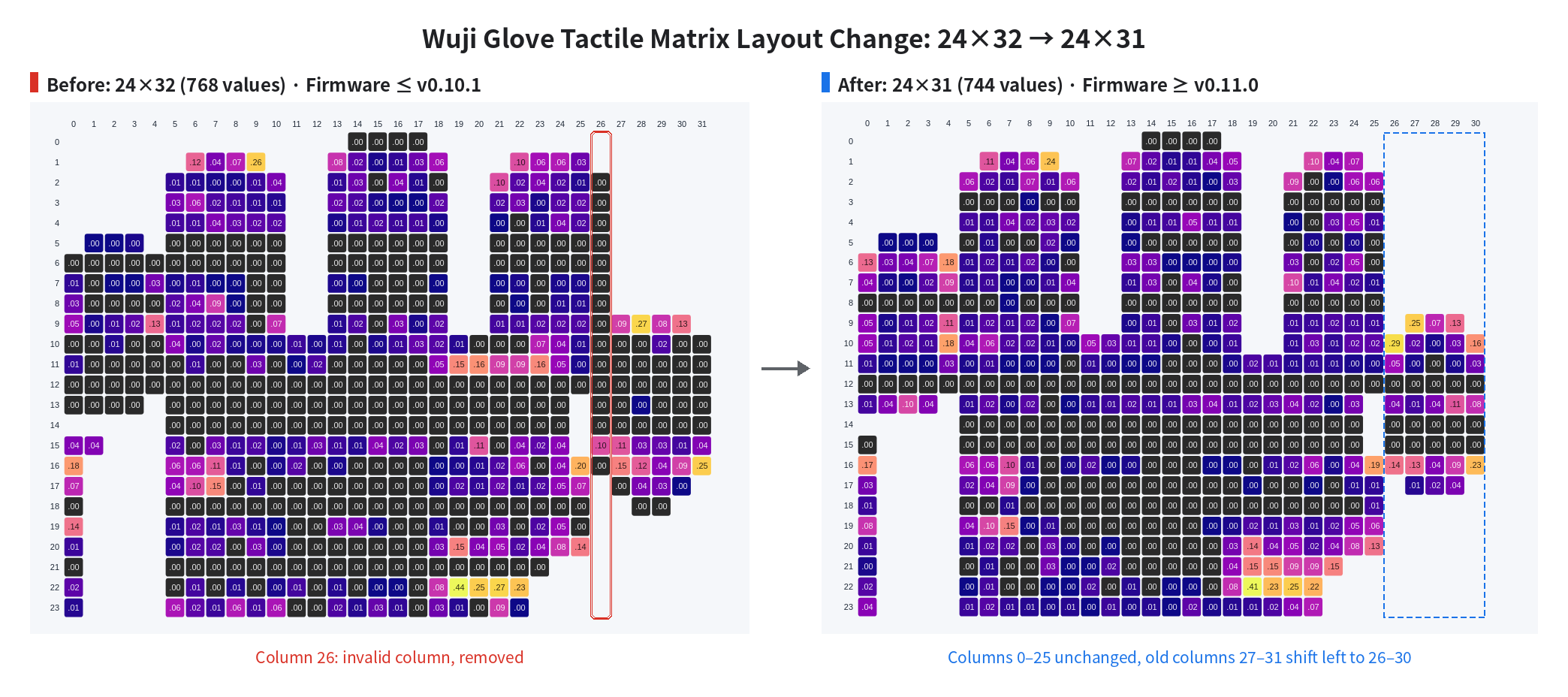
Starting with firmware v0.11.0, the tactile matrix changes from 24×32 (768 values) to 24×31 (744 values), removing invalid column 26 from the 24×32 layout. The remaining columns keep their relative order: columns 0–25 keep their indices, and columns 27–31 shift left to become columns 26–30.
 This documentation is built and hosted on [Mintlify](https://mintlify.com), a developer documentation platform.