> ## Documentation Index
> Fetch the complete documentation index at: https://docs.wuji.tech/llms.txt
> Use this file to discover all available pages before exploring further.
# 面板类型
Wuji Studio 提供以下可视化面板:
| 面板类型 | 说明 |
| - | - |
| 3D 视图 | 在三维空间中渲染手部骨架、指尖姿态等数据,详见 [3D 手部可视化](/docs/wuji-studio/visualization/hand-3d) |
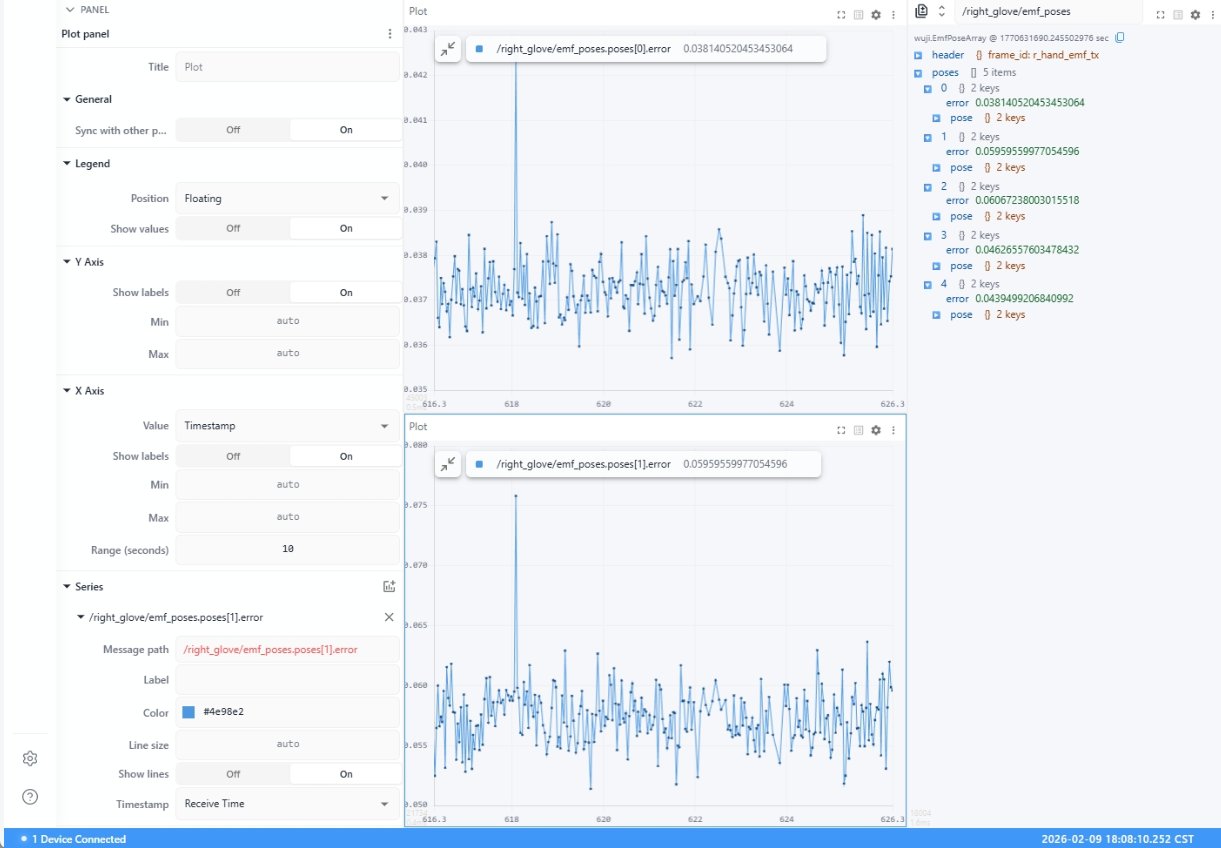
| Plot 图表 | 以时间序列折线图绘制数值数据的变化趋势 |
| 触觉矩阵 (Tactile Matrix) | 将触觉传感器数据可视化为色码矩阵热力图 |
| 原始消息 (Raw Messages) | 以 JSON 格式显示 Topic 的原始消息内容,支持两帧数据的差异对比(Diff) |
| 选项卡 (Tab) | 将多个面板分组到选项卡中,节省界面空间 |
## Plot 图表
以时间序列折线图的形式绘制数值数据的变化趋势。
 ## 触觉矩阵 (Tactile matrix)
将触觉传感器数据可视化为色码矩阵热力图。
## 触觉矩阵 (Tactile matrix)
将触觉传感器数据可视化为色码矩阵热力图。
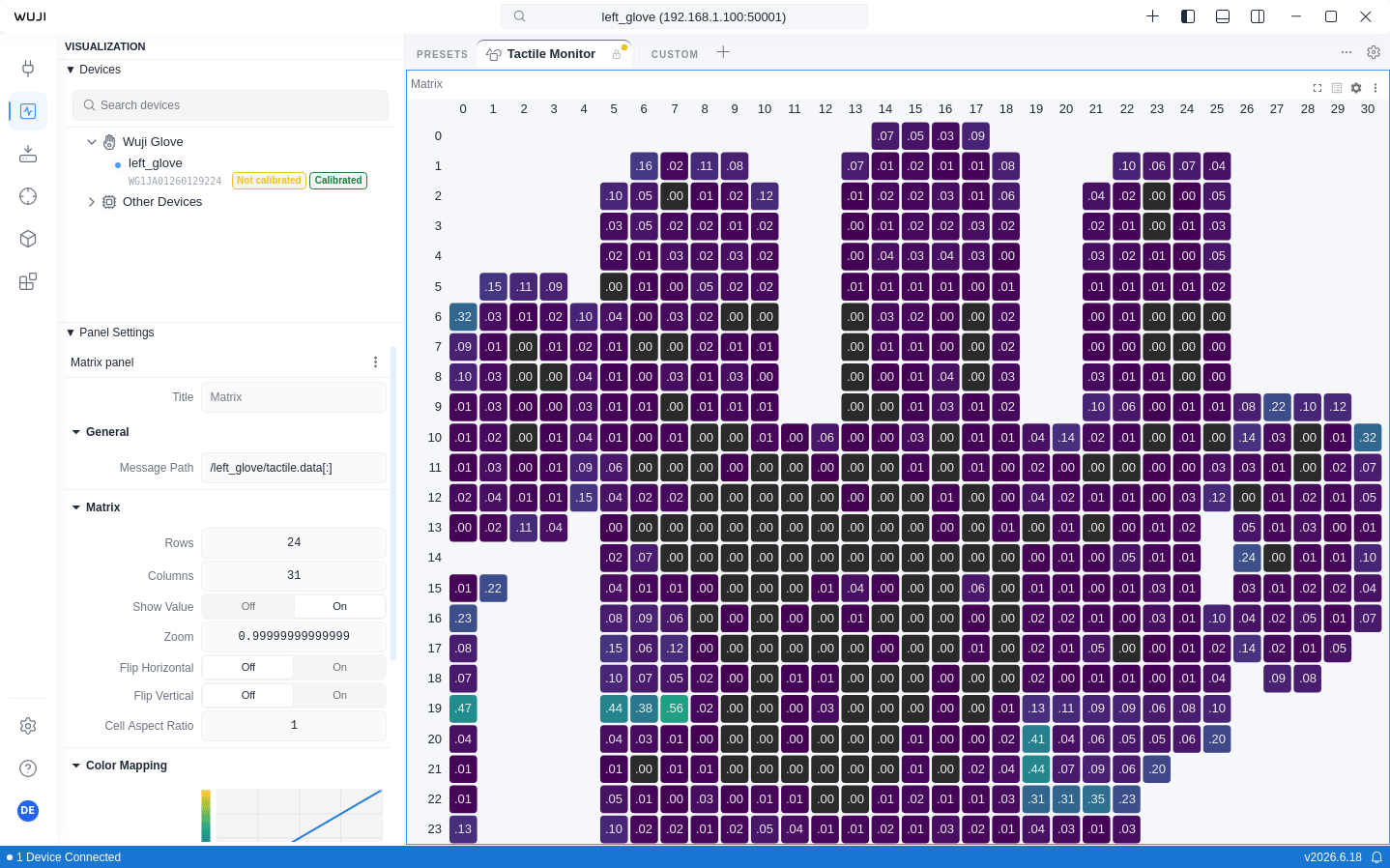 在 Sidebar 的 **Panel** 中通过 **Color Map** 下拉菜单切换配色方案,默认使用感知均匀的 Viridis,其中 Safety (Okabe-Ito) 为无障碍配色。
| 设置项 | 说明 |
| - | - |
| Min Value / Max Value | 0.0 \~ 1.0(归一化)
在 Sidebar 的 **Panel** 中通过 **Color Map** 下拉菜单切换配色方案,默认使用感知均匀的 Viridis,其中 Safety (Okabe-Ito) 为无障碍配色。
| 设置项 | 说明 |
| - | - |
| Min Value / Max Value | 0.0 \~ 1.0(归一化)
无效数据点(值为 -1)自动跳过渲染 |
| Zoom / Flip Horizontal / Flip Vertical | 支持水平/垂直翻转和缩放 |
| Show Value | 显示每个单元格的数值 |
触觉传感矩阵整体为 24 × 31,划分为 6 个区域:
| Zone ID | 区域 | 矩阵大小 |
| - | - | - |
| 6 | 手掌 (Palm) | 14 × 22 |
| 1 | 拇指 (Thumb) | 10 × 5 |
| 2 | 食指 (Index) | 9 × 5 |
| 3 | 中指 (Middle) | 10 × 6 |
| 4 | 无名指 (Ring) | 9 × 6 |
| 5 | 小指 (Pinky) | 11 × 5 |
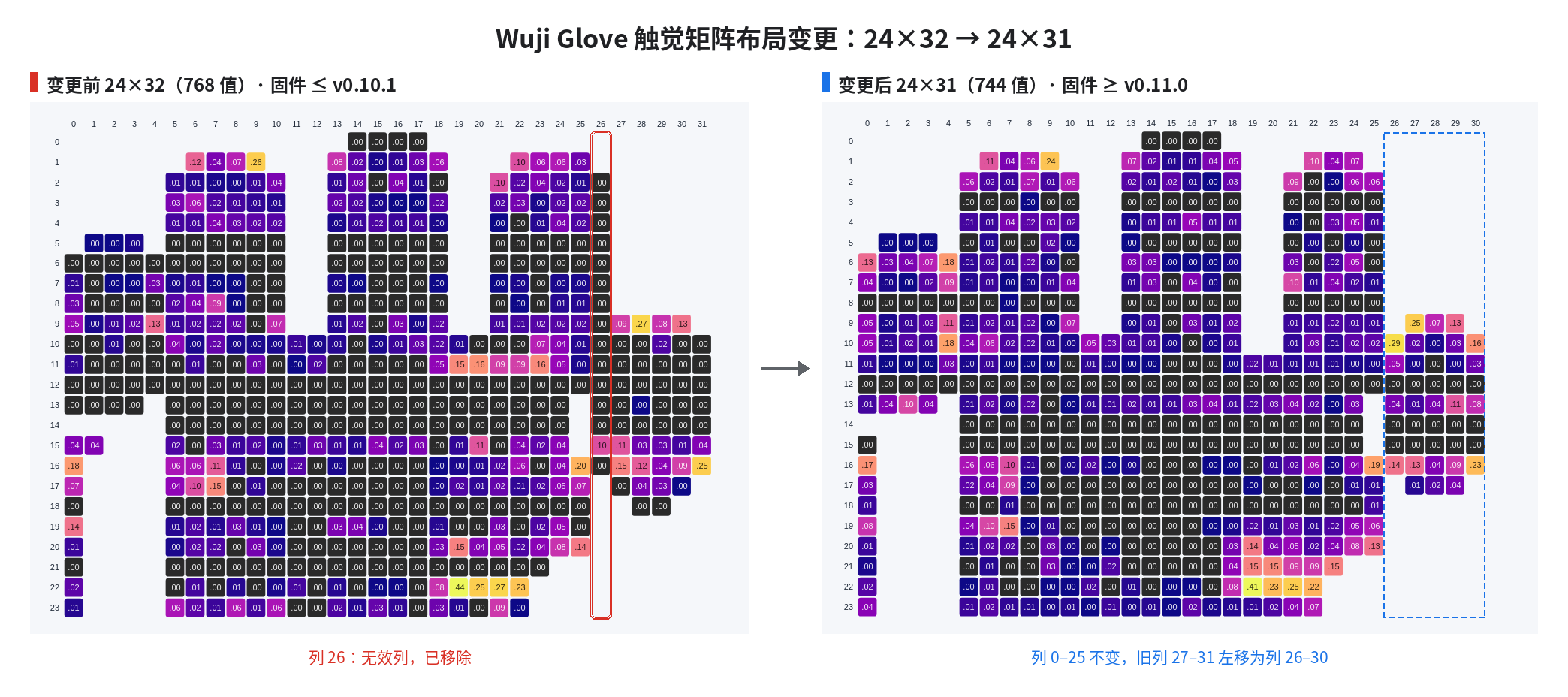
固件 v0.11.0 起,触觉矩阵从 24×32(768 值)调整为 24×31(744 值),移除 24×32 布局中的无效列 26。其余列相对顺序不变:列 0–25 索引保持原样,列 27–31 左移为列 26–30。
 This documentation is built and hosted on [Mintlify](https://mintlify.com), a developer documentation platform.